

Google Ads negative keywords stop your ads from showing on searches that don’t fit what a campaign sells. Used well, they keep a service campaign from paying for clearly unrelated clicks. Used carelessly, they quietly block the very people the business wants to reach.
A long exclusion list doesn’t prove an account is well managed. What matters is whether each negative has a clear reason, the right match type and the right scope, because a word that’s useless in one campaign can be valuable in another.
Short version: start from real search terms, pin down the mismatch and add the narrowest exclusion that fixes it. Then check what happened to qualified inquiries. Never paste a generic negative list into an account without first looking at what the business sells and how its customers search.
Review the search before deciding it is irrelevant
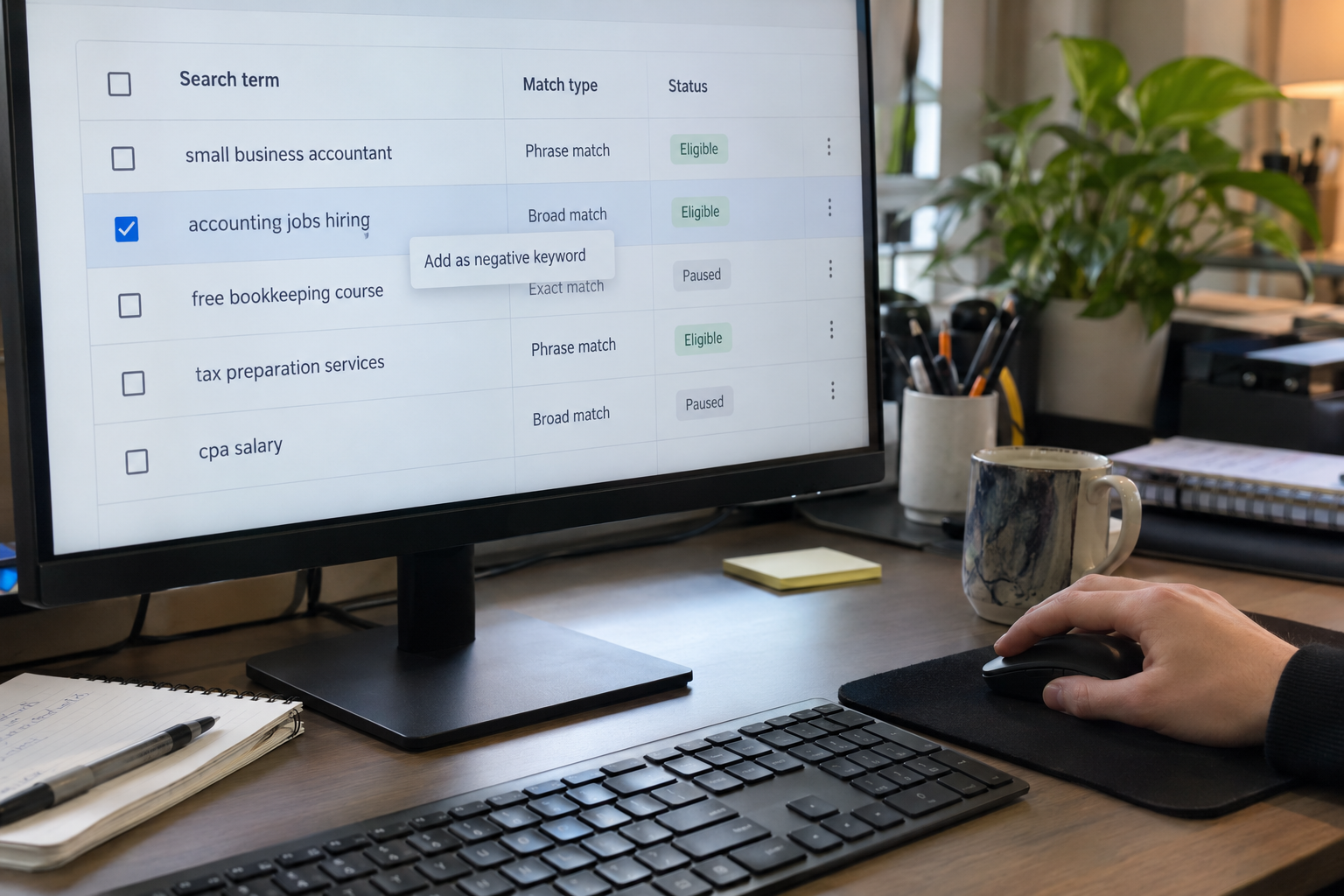
A keyword is what you target. A search term is what someone actually typed. The gap matters, because the keywords in your account don’t tell you every query that triggered an impression or a click.
Google’s search terms report documentation explains how to review those searches, and it also notes that some low-volume queries are hidden for privacy. Treat the report as evidence of what you can see, not a full transcript of every search.
Take a Long Island plumbing company advertising repair appointments. "Plumbing apprenticeship" signals a completely different need from "plumber to repair leaking pipe." The first might suit a hiring campaign, but it’s a poor fit for one that books repairs. The campaign’s purpose decides which side a search falls on.
Read the whole query, not just one word. "Free" shows up in "free plumbing course," but it also shows up in searches for a free estimate, and if the business offers one, those are good searches. Excluding the single word across the account throws out the good with the bad.
The same goes for "cost" and "price." They usually mean someone is weighing a purchase, not that the traffic is low quality. Plenty of serious buyers want a sense of the likely bill before they pick up the phone.
This is the heart of good PPC management: connecting what people search to the service, the destination and the lead that comes in. Sometimes the search term alone shows a clear mismatch. When the intent is less obvious, the rest of the evidence carries more weight.
Sort the candidates into three piles: clearly irrelevant, clearly relevant and not sure. The "not sure" pile needs a closer look, not an automatic exclusion. One click without a conversion isn’t enough to ban a relevant service search for good.
Choose a negative match type deliberately
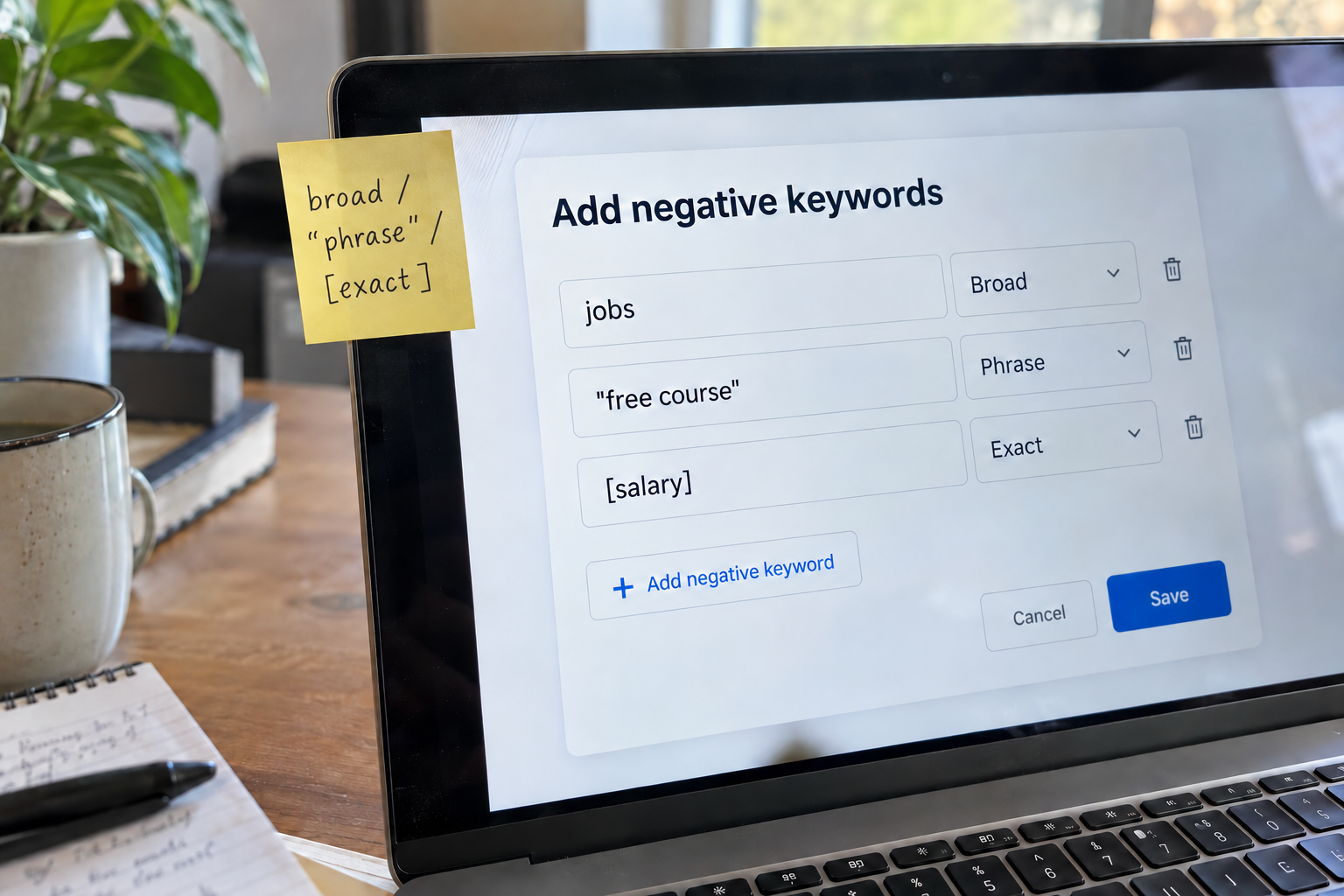
In Search campaigns, negative broad, phrase and exact match each behave differently, and Google’s negative keyword guide is the place for the exact rules. The examples below show how one exclusion plays out in practice; they aren’t a list to block in every account.
| Negative keyword | Match type | Example blocked by this negative | Example not blocked by this negative alone |
|---|---|---|---|
| plumbing jobs | Broad | jobs in plumbing | plumbing apprenticeship |
| "plumbing jobs" | Phrase | plumbing jobs long island | jobs in plumbing |
| [plumbing jobs] | Exact | plumbing jobs | plumbing jobs long island |
Negative broad blocks a search when all of its words appear, in any order. Phrase needs the words in that order. Exact needs the same words in order with nothing added. Unlike positive keywords, negatives don’t stretch to cover close variants, so Google notes that synonyms and singular or plural forms may need their own entries, while casing and misspellings are handled for you.
So the real decision is how much intent you can confidently rule out. If one specific query is wrong, a narrow exclusion handles it. If a whole phrase reliably points to a service you don’t offer, a broader option can make sense once you’ve checked what else it would catch.
Before adding a negative, test it against searches you want to keep. Jot down a few queries you still want to reach; if the exclusion would block them, change the wording or the match type. That takes far less time than working out why a campaign suddenly stopped getting a valuable kind of inquiry.
These examples apply to Search. Display and Video exclusions work differently, and other campaign types have their own controls and limits, so don’t assume advice for one campaign type carries over everywhere in Google Ads.
Apply the exclusion only where it belongs
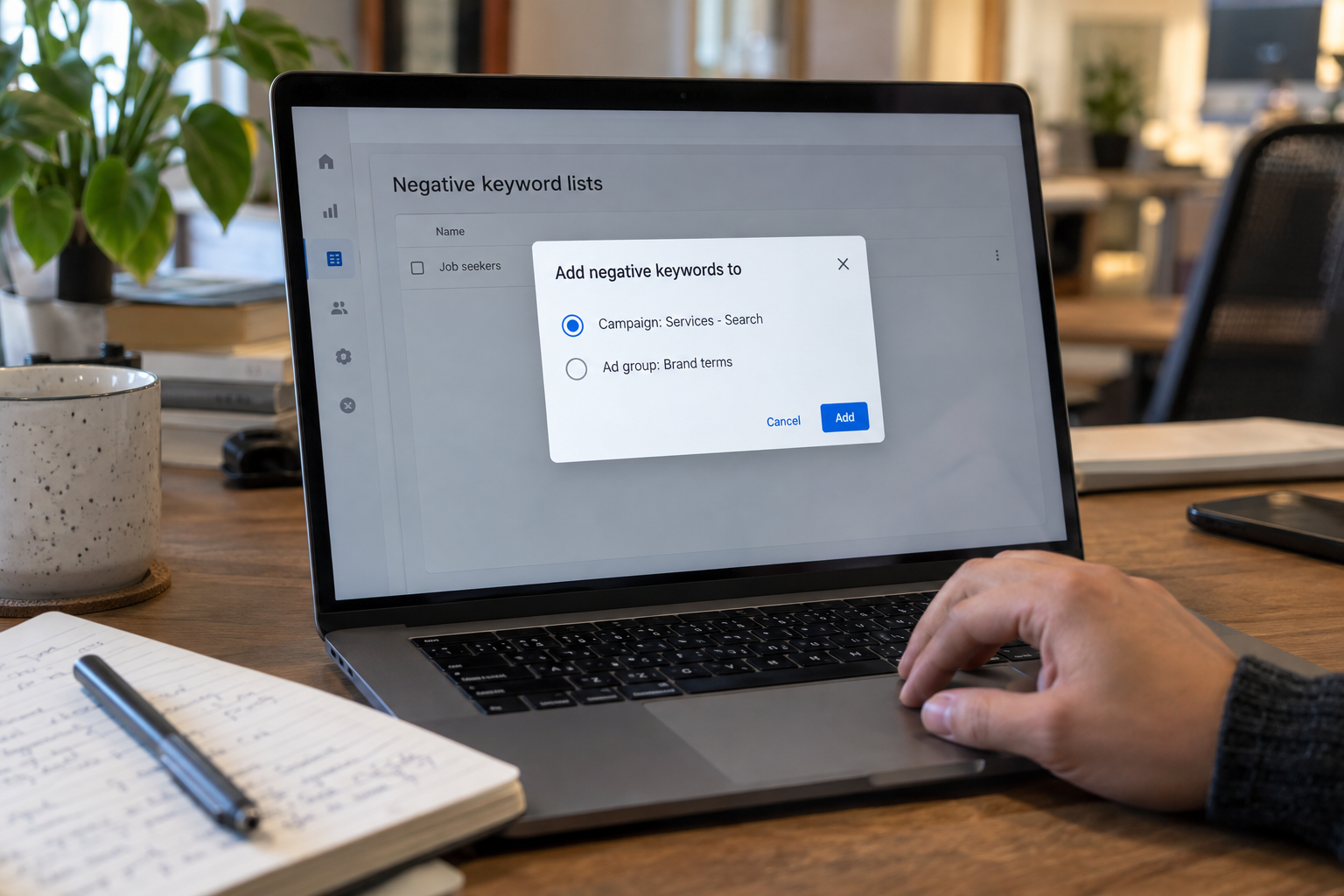
Where you apply a negative matters as much as the wording. An exclusion can be smart in a repair campaign and harmful in an installation campaign, or right for one location and wrong for another that offers more services.
Think of a home-service business that installs equipment but doesn’t sell parts on their own. Parts-only searches are a poor fit for its service campaign. If it later opens a parts store, that old blanket exclusion will fight the new offer. Negative lists have to change when the business does.
Google’s negative keyword list guidance explains how one list can be shared across campaigns and how edits ripple through every campaign using it. That’s convenient, but it also means one change can reach more campaigns than the person making it expects.
Give lists descriptive names and note why each one exists. A list named for employment searches in service campaigns explains itself. A list called "bad keywords" tells the next account manager nothing about the thinking behind it.
Account-level negatives apply across eligible search and shopping inventory. Save that scope for exclusions that genuinely make sense everywhere in the account; a problem in one campaign shouldn’t automatically become an account-wide rule.
Location words need the same care. Someone searching from one town may need the service delivered in another, and negative keywords are no substitute for reviewing geographic targeting and the real service area. For digital marketing on Long Island, the aim is to reach the right local demand, with the business’s coverage reflected the same way in targeting and on the destination.
Before applying a shared list, check every campaign it touches, including paused ones that may come back. An exclusion can sit unnoticed until a seasonal campaign restarts, which is exactly why a short change record pays off.
Check lead quality after the change

Fewer clicks isn’t automatically a win. Exclusions are meant to improve the fit between searches and the campaign. If good inquiries drop too, the change was probably too broad, or it uncovered a different problem.
Note the date, the excluded term, the match type, the scope and the reason. Then give the campaign enough time to cover its normal conversion delay before judging. The right review window depends on volume and how long people take to get in touch; there’s no single number that fits every account.
Judge by outcomes the business can confirm. Separate genuine service requests from spam, job applications, existing-customer support and work outside the service area. A raw form count hides those differences when every submission is treated as equally valuable.
- Confirm that the intended irrelevant queries have reduced where visible.
- Watch for a drop in relevant search activity.
- Compare qualified inquiries with total tracked conversions.
- Check for conflicts when services or campaigns change.
- Keep a record so an exclusion can be reviewed or reversed deliberately.
Don’t credit every improvement to the negative list if bids, ads, budgets or destinations changed at the same time. Keep your conclusions in line with the evidence. Less irrelevant traffic is useful; it isn’t a guaranteed return on ad spend.
If relevant searches still produce poor results, look at the destination. The ad may attract the right person while the destination describes the wrong service or makes the next step hard. Negative keywords can’t fix that mismatch without also cutting the chance to reach the customer.
Exclude the wrong intent without cutting off demand
Google Ads negative keywords work best as a set of decisions you keep maintaining. Each entry should say what the campaign is excluding and why, which is far more useful than piling up as many negatives as possible.
Max Pull Marketing helps service businesses run paid campaigns around measurable outcomes. If your account gets clicks but the inquiries don’t fit the business, trace the path from the search term through the destination to the lead record. That’s where the next useful change shows up.
Want a second pair of eyes on your account? Contact Max Pull Marketing for a search-term and account audit to find the queries wasting budget and the exclusions that fix them without cutting off good leads.